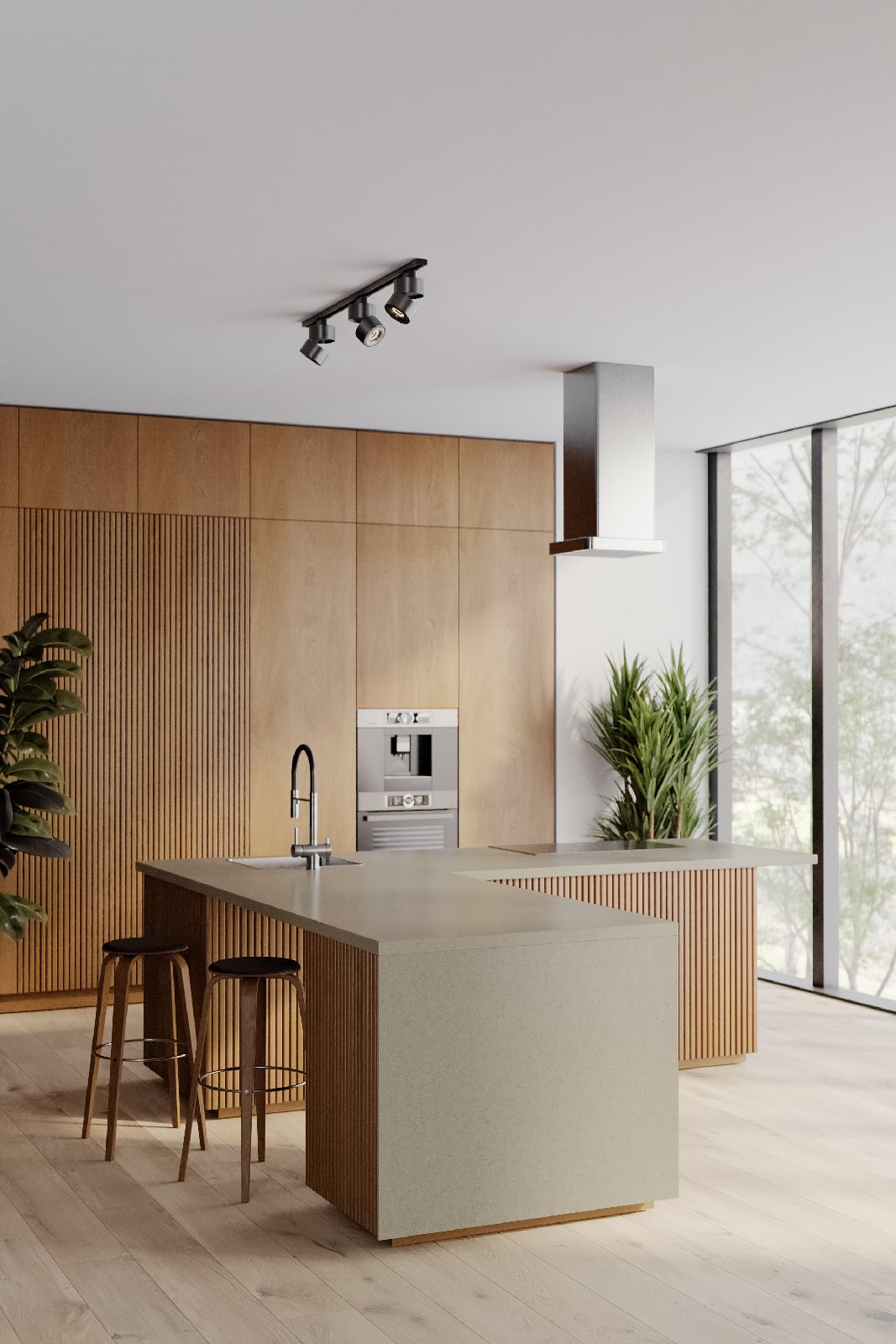
Earn Free Credits and Get Noticed: How to Share Your Projects on Reawote
Reawote now allows you to earn 100 credits that you can use in your next visualization projects to purchase textures, 3D models, or HDRIs. All you need to do is share some of your projects with our community. As a bonus, you’ll increase your visibility with the right audience. We’ll show you how.

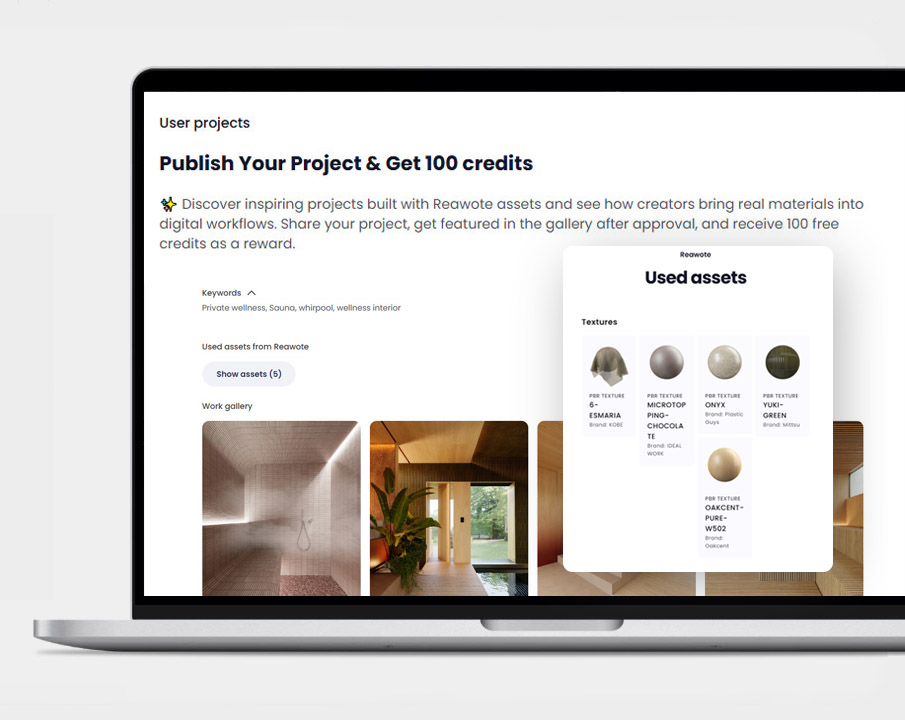
📌 100 credits per approved project — upload renders using Reawote library assets, get them approved, and earn credits to spend on future downloads. Multiple projects add up fast.
📌 Your work reaches 120,000 professionals — published projects appear in an active community feed where architects, designers, and visualizers discover, like, and share work from creators they follow.
📌 Manufacturers see your renders — tagging brand assets notifies the manufacturer, putting your work directly in front of the people who make the products you use and opening doors that traditional portfolio platforms don't.
Upload Your Project, Earn 100 Credits
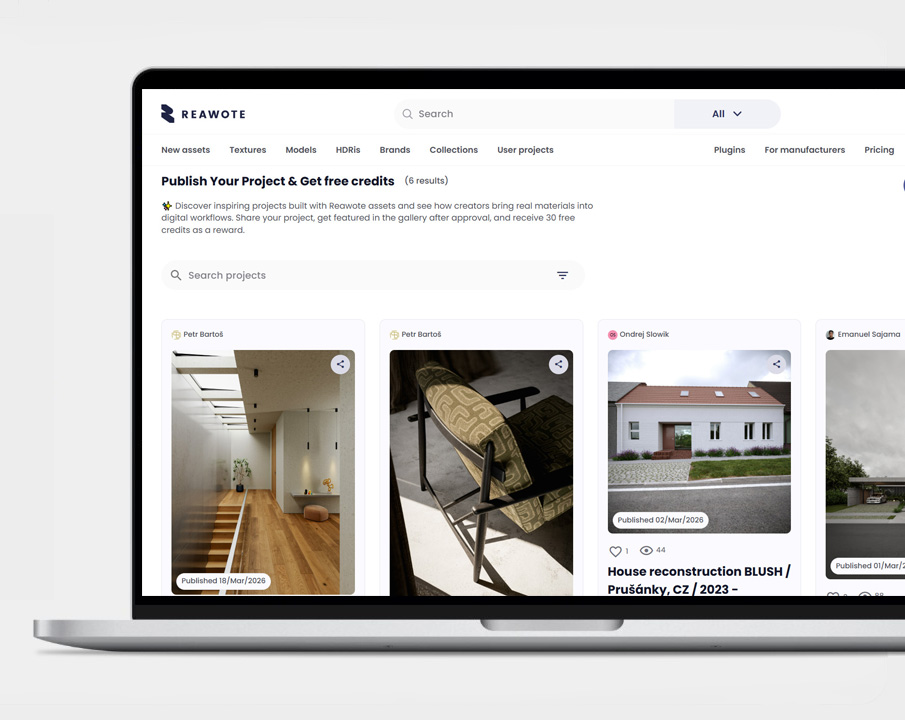
Have you used Reawote assets in your projects before? Show us. You can upload them on Reawote Pinterest style board for our community to view and like and be rewarded with 100 credits per approved project.
Once your project is submitted and approved by the Reawote team, you receive 100 credits — immediately, automatically, and with no further steps required. Those credits go straight into your account and can be used to download additional assets from the library.
The math is simple. A few well-finished projects published over time can add up to a meaningful credit balance — enough to access materials and models you might otherwise spend on. It turns work you've already done into a resource that funds your next project.
Step by step - share your work with us
Setting up a project submission takes a few minutes and the more complete your entry, the better it performs on the platform.
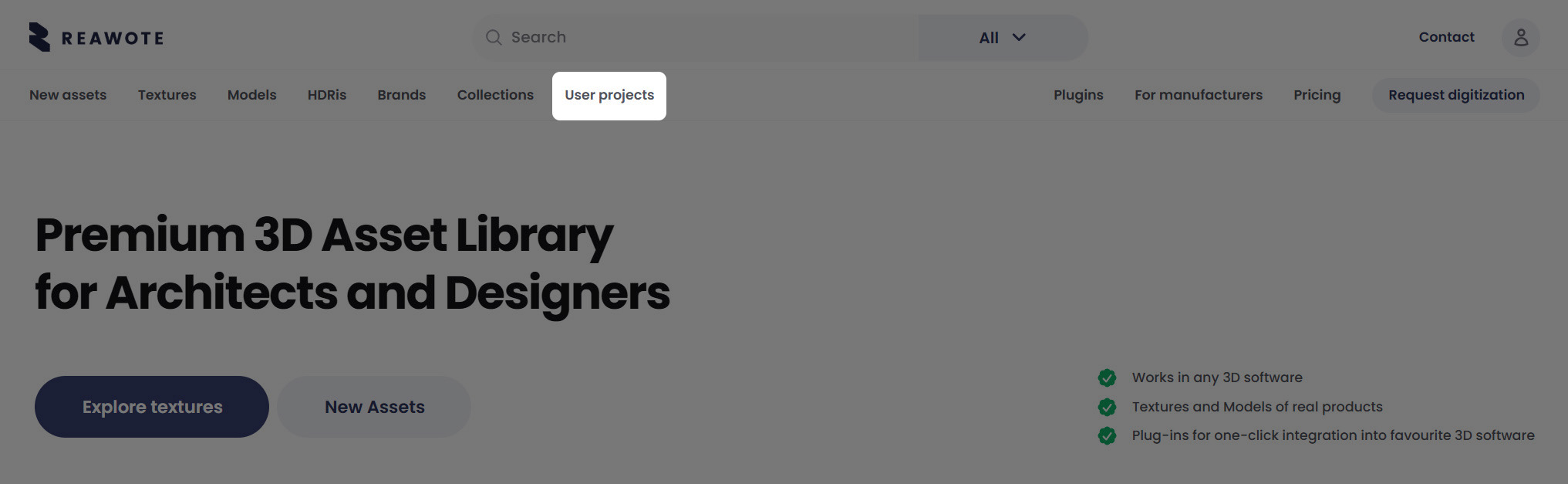
1. In the top menu go to User Projects
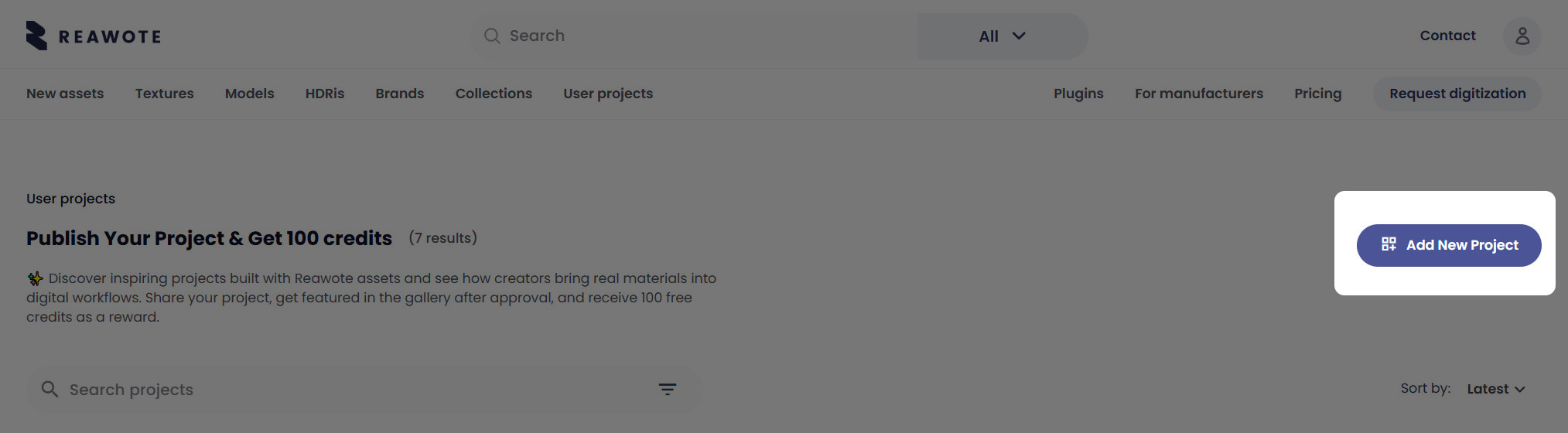
2. Click Add New Project button
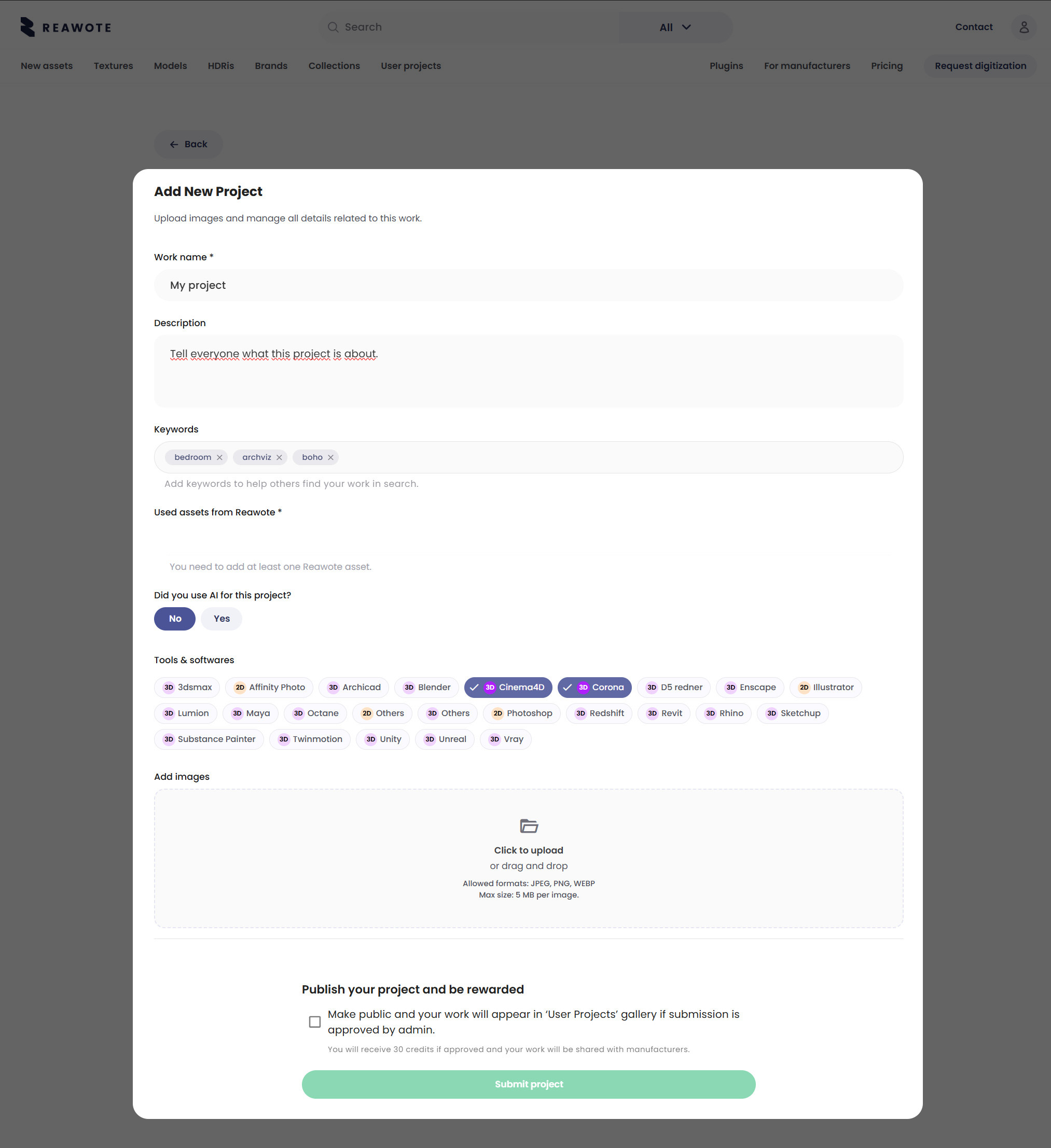
3. Fill out all the details about your project. Give your project a name, describe it so that everyone in the community knows what challenges you faced, what was your goal or what mood you were aiming to create. Add keywords so that finding projects is easy later.
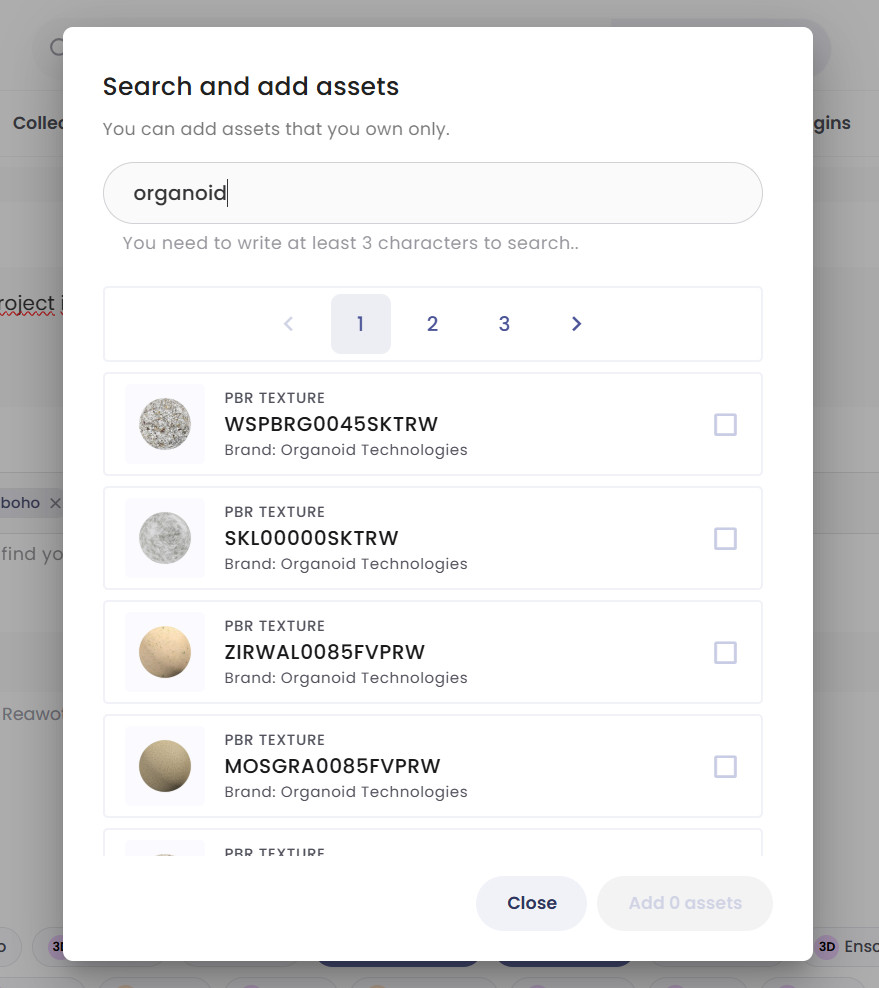
4. Now the important part. We only accept projects featuring Reawote assets so make sure to tag the ones you used from the list. Search field will help you navigate and find the right ones. Just start typing and the list will filter them out.

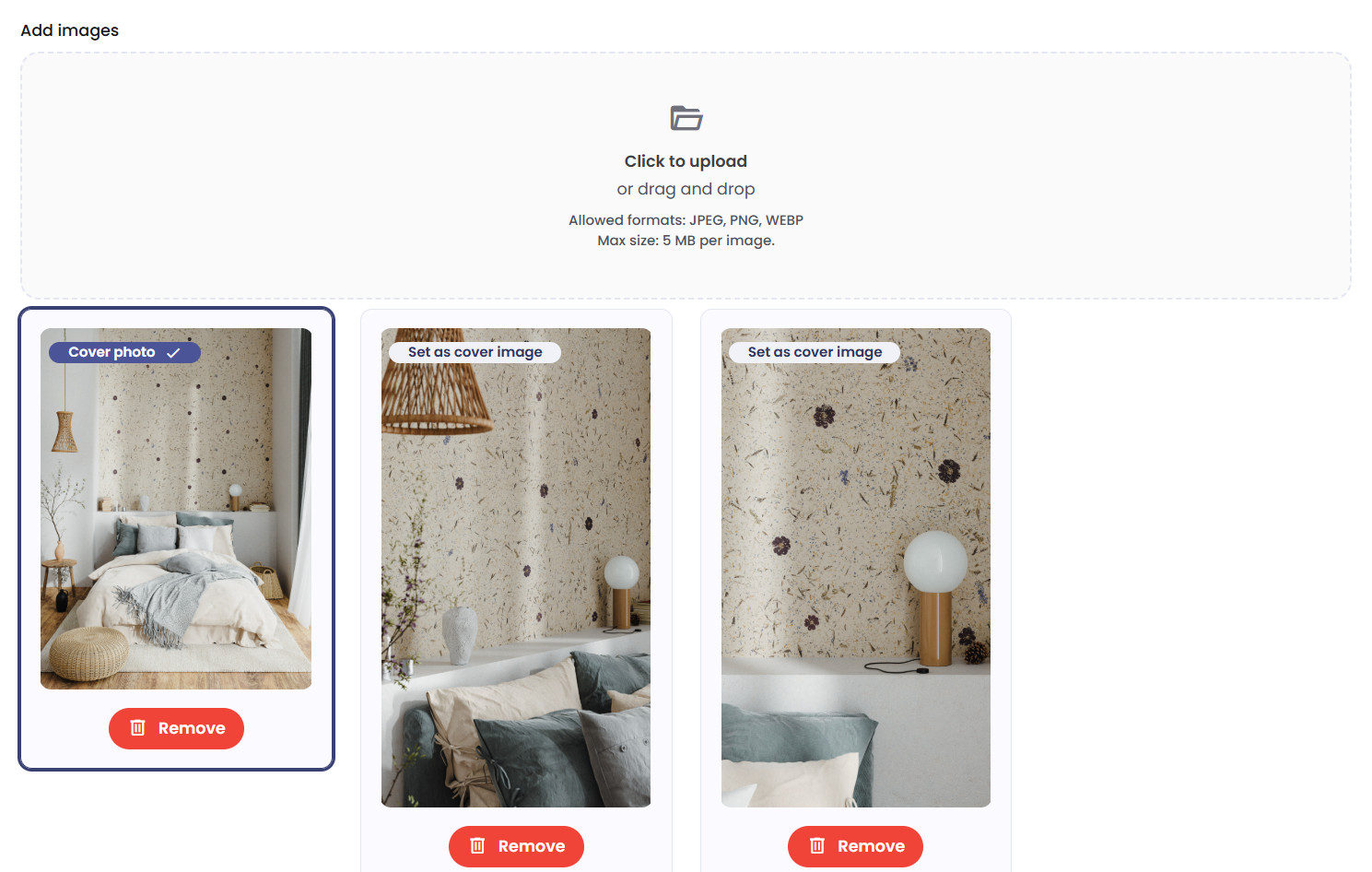
5. Upload your renders either by drag and drop or choose choose them in the pop-up window from your local folders. The first image will automatically will be assigend as the Cover image, you can choose a different one if you like.
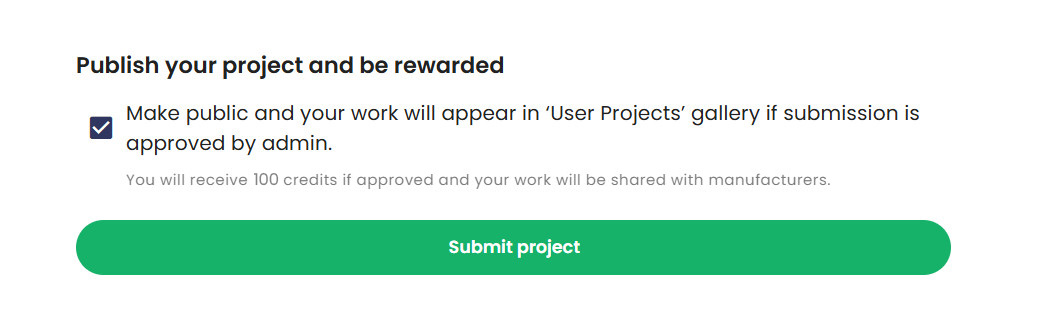
6. Tick the agreement and hit Submit button. That's it. You've just submitted your work for approval to Reawote admins. Once the project gets approved, it becomes visible to the community and 100 credits are added to your account. If you tagged brand assets, a notification is automatically sent to the brand so they can come check-out your work featuring their products as well. And here is the interesting part - perhaps they will like what they see. Here is the intersection you may a benefit from. That's where the next step comes in - make sure you have your Public Profile complete, with contact info.

Setting up your Public Profile
Public Profile is what is visible to other users and manufacturers who come check-out your work. So don't forget to update your information to turn your projects page into a public portfolio presenting your work.
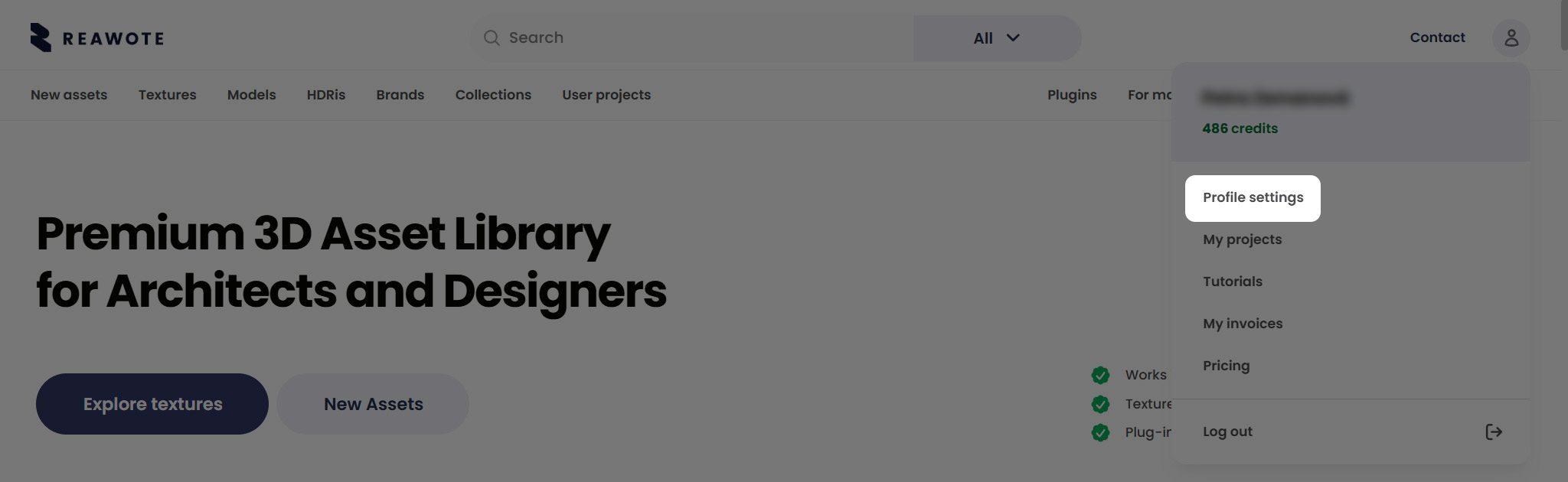
1. In the top menu click the person icon to access your Profile Settings.
2. Head to My public info tab
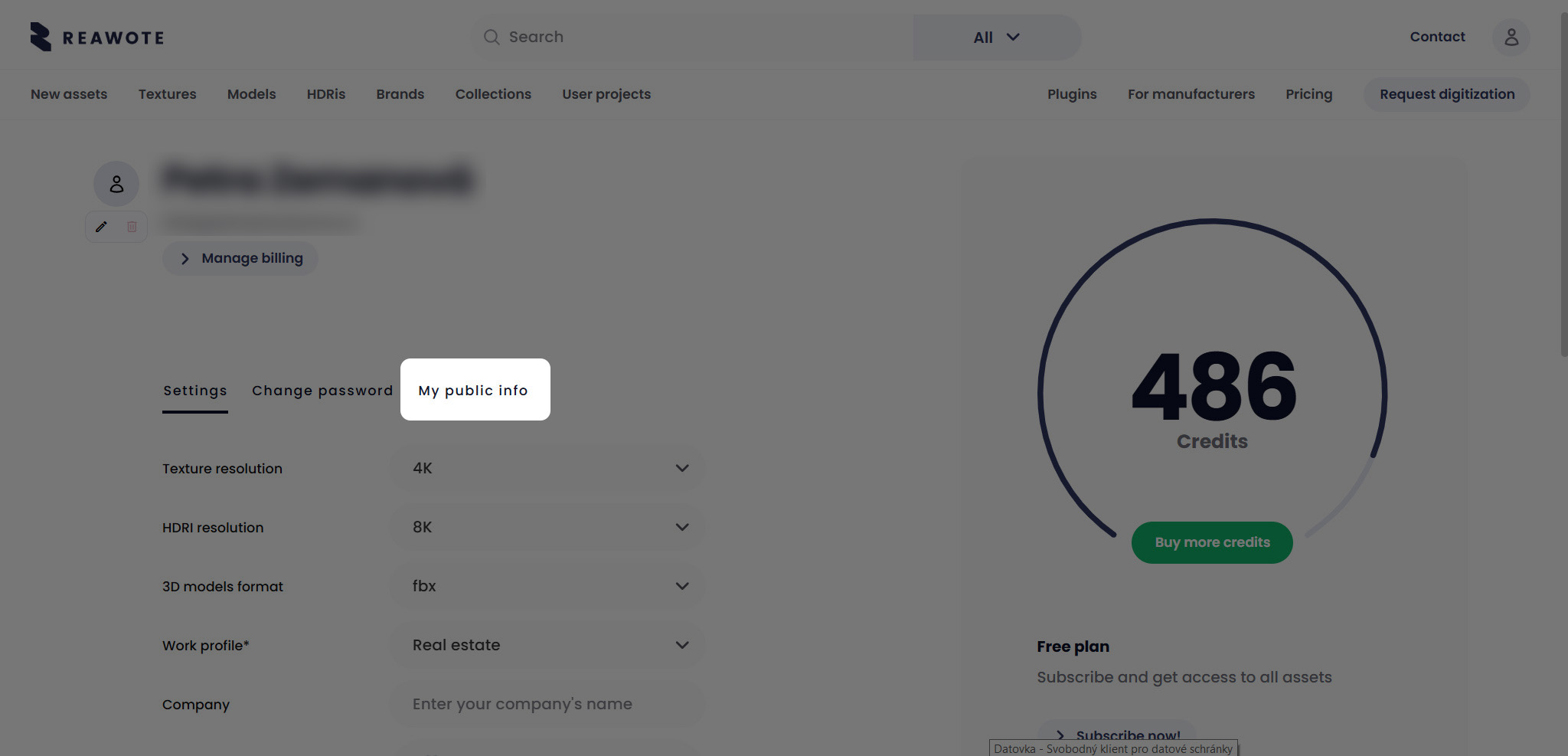
3. Here you can fill out your social profiles, website, phone number, email, address and other contact information. Note that all of these will be publicly visible, unlike the details in the Settings tab.
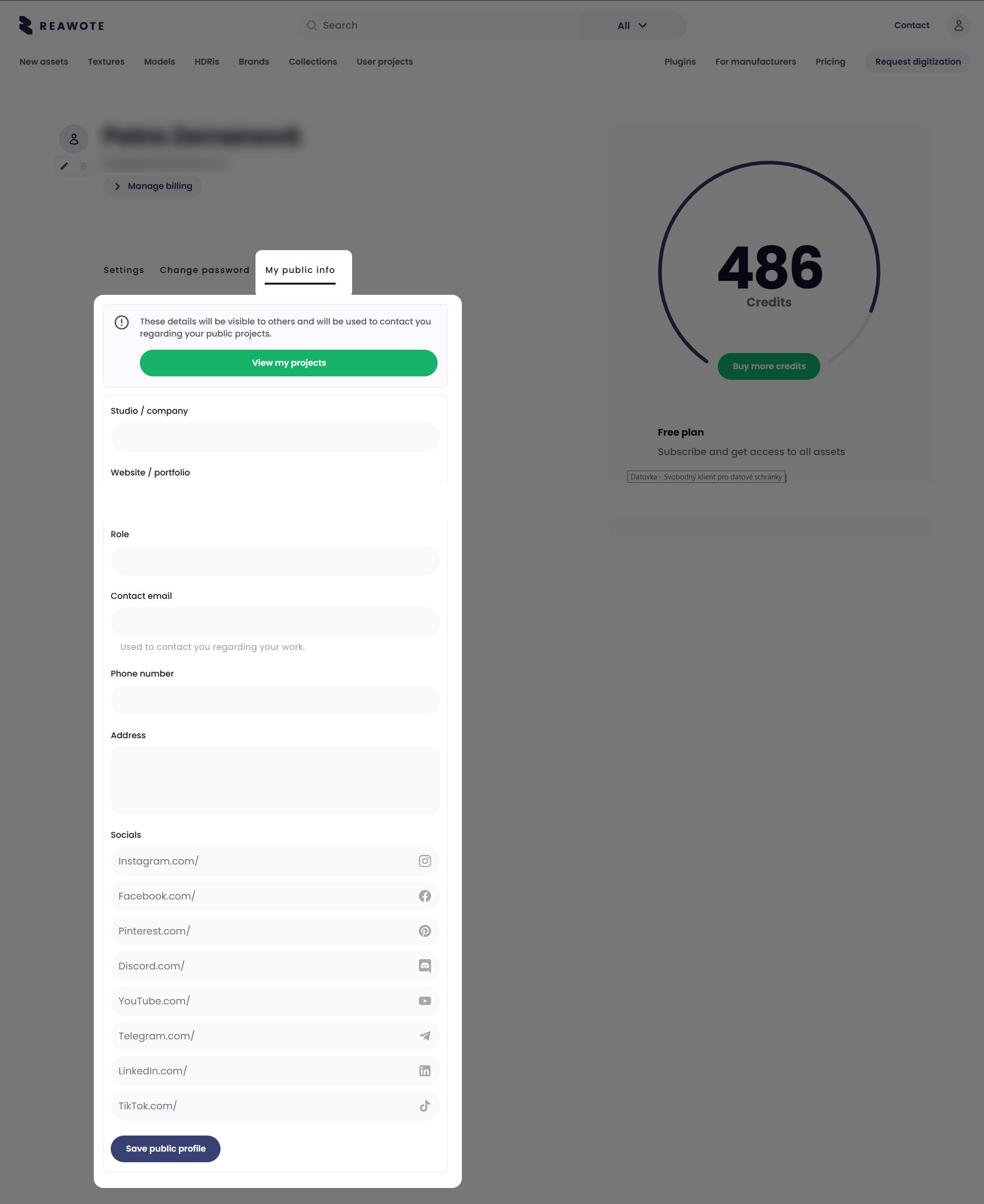
A Community Feed Worth Being Part Of
Published projects appear in Reawote's user projects section — a visual, Pinterest-style feed where the broader Reawote community browses, likes, and shares work from designers and visualizers around the world.
This is not a hidden archive. It's an active community space where other professionals discover work they find inspiring and engage with projects that push the quality bar. Being present in that feed puts your work in front of an audience of 120,000 architects, designers, and visualizers — people who understand what they're looking at and can recognize when it's good.
Likes and shares extend your reach further, surfacing your projects to users who might not have found you otherwise. Over time, a consistent presence in the feed builds a professional profile that speaks louder than a CV.
Get Noticed by the Manufacturers Whose Products You Use
As we mentioned above, when you tag a brand asset in your project, the manufacturer behind that product receives a notification. They can see exactly how their product has been used — in what kind of space, in what context, rendered by whom. For manufacturers who care about how their products are represented in professional visualization work, this is a direct window into real-world use they wouldn't otherwise have.
What this means for you: the people who make the products you specify are seeing your work. If a manufacturer likes what they see — the quality of your renders, the way you've presented their product, your overall portfolio on the platform — they know exactly who you are and how to reach you. Reawote has already seen manufacturers connect with visualizers whose work caught their attention this way.
It's a visibility channel that traditional portfolio platforms simply don't offer. Your work reaches not just other designers, but the brands whose products you've made look their best.
Start With What You've Already Made
You don't need to create new work to participate. If you've completed projects using Reawote assets — renders that are already finished, already delivered, already sitting in your project folder — those are ready to upload now.
Pick your strongest images. Tag the assets and software. Set your hero render. Submit.
The credits are waiting, the feed is active, and the manufacturers are watching.
Explore user projects on Reawote →
Related posts
Join our community and stay updated on all things 3D
Sign up to our newsletter.


Build a better world with real-world 3D detail
Step into the digital world and explore new ways to create, present, and distribute products — without limits or physical constraints.